No alarms

AC power lost - switched to battery
Clear
Low battery - 15 minutes left
Clear

Critically low battery - 5 minutes left
Clear
Battery failure. Stay on AC power.
Clear
High pressure (> 40 cmH2O)
Clear
Fan stopped. Check fan for obstruction.
Clear
Sensor communication error
Internal communication error

High PIP (> 40 cmH2O)
Clear
Low PIP (< 20 cmH2O). Possible disconnect.
Clear
High PEEP (> 10 cmH2O)
Clear
Low PEEP (< 5 cmH2O)
Clear
High tidal volume (> 800 mL)
Clear
Low tidal volume (< 300 mL)
Clear
High respiratory rate (> 30 bpm)
Clear
Low respiratory rate (< 8 bpm)
Clear
High minute volume (> 15 L/min)
Clear
Low minute volume (< 3 L/min)
Clear
Apnea (low respiratory rate)
Clear
Low PIP (< 20 cmH2O). Possible disconnect.
3 more
Clear
500
Vt
mL
20
R Rate
bpm
1
I Time
sec
0
I Pause
%
5
PEEP
cmH2O
60
FiO2
%
1
P trigger
cmH2O
35
PIP
cmH2O
Flow (L/min)
30
0
-30
Pressure (cmH2O)
40
20
0
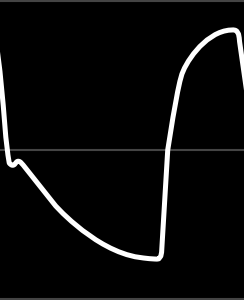
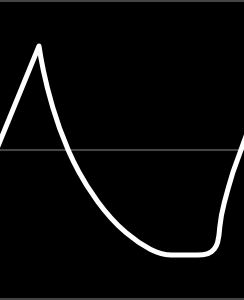
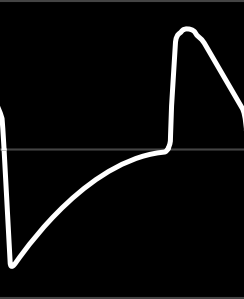
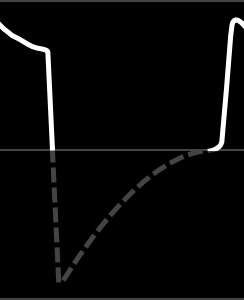

20s
5s
10s
15s
20s
15s
10s
5s
expiratory data is not measured

AC power
1h 15m

Jul 28
11:32 AM
Select an alarm
▾

No alarms
AC power lost
Low battery
Critically low battery
Battery failure
Sensor error
Communication error
Fan failure
High pressure
High PIP
Low PIP
High PEEP
Low PEEP
High tidal volume
Low tidal volume
High R rate
Low R rate
High minute volume
Low minute volume

Multiple alarms
35
PIP
cmH2O
5
PEEP
cmH2O
500
VTi
mL
–
P Plat
cmH2O
10
M Vol
L/min
20
R Rate
bpm
1:2
I:E
60
FiO2
%
100% O

2:00
2
Pressure - Assist Control
Failure

The ventilator stopped due to a sensor communication error. Please email support@theventilatorproject.org for help.
Alarm Log
Close

High pressure (> 35 cmH2O)

High

Active

Jun 17, 2020
06:30:22 PM EST

Low battery - 15 minutes left

High
Active
Jun 17, 2020
06:29:22 PM EST





High tidal volume (> 800 mL)

Medium
Cleared
Jun 16, 2020
04:29:22 AM EST
Jun 16, 2020
04:30:00 AM EST
Low tidal volume (< 250 mL)
Medium
Cleared
Jun 16, 2020
03:29:22 AM EST
Jun 16, 2020
03:30:00 AM EST
AC power lost - switched to battery
Medium
Cleared
Jun 16, 2020
02:29:22 AM EST
Jun 16, 2020
02:30:00 AM EST
Low PIP (< 10 cmH2O) - possible disconnect
High
Cleared
Jun 15, 2020
09:15:03 PM EST
Jun 15, 2020
09:15:45 PM EST
High PIP (> 40 cmH2O)
Medium
Cleared
Jun 15, 2020
06:30:12 PM EST
Jun 15, 2020
06:31:00 PM EST
High PEEP (> 20 cmH2O)
Medium
Cleared
Jun 14, 2020
01:00:12 AM EST
Jun 14, 2020
10:01:00 AM EST
Low PEEP (< 4 cmH2O)
Medium
Cleared
Jun 14, 2020
09:00:12 AM EST
Jun 14, 2020
09:01:00 AM EST
Apnea
Medium
Cleared
Jun 12, 2020
04:29:22 AM EST
Jun 12, 2020
04:30:00 AM EST
Critically low battery - 5 minutes left
High
Resolved
Jun 11, 2020
04:29:22 AM EST
Jun 11, 2020
04:30:00 AM EST
Clear
Clear



Alarm
Priority
Status
Started
Ended
Actions
Remove Non-Active Alarms

On Standby
New Patient
Same Patient

Patient not ventilated
Jul 10
, 2020 5:40 AM EST
Shut Down
Last system check:
System check runs when ventilator is powered up.
Failure
The ventilator has an internal communication error. Please email support@theventilatorproject.org for help.
Power off attempted while ventilating

OK
Put the ventilator on standby before powering off.
Stop ventilation?
Stop Ventilation

Continue Ventilation
2:00

Configure
Apply
Cancel
hPa
cmH2O
Pressure units
Screen Brightness
Date
Time
Time Zone
July
18
2020
05
12
:
AM
EST
Vt
mL

50
1
0
1
100
Min value:
Max value:
Add a notch every
Ignore this value (don't delete, though):

Edit the values below to change the way the slider behaves.
For example, if you want a notch for each whole value, set this to 1.
Important: make sure that the number of notches you end up with (minus the far-left one)divides equally into the length of sliderTrack. (In this example there are 20 notches, so the length of sliderTrack in pixels must be equally divisible by 20.) Otherwise, the last notch will not align with the slider.
Notes
Make sure that the "notchedSlider" dynamic panel (the outermost panel) is set to "Fit to Content." Otherwise the slider handle will appear cut-in-half when at min or max value.
You can style the slider track and handle by changing the contents of the "sliderTrack" and "sliderHandle" dynamic panels.
You can change the appearance of the notches by editing the single notch in the repeater "notches."
Delete the repeater if you don't want notches or want to draw your own.
0
# decimal places displayed:
units


Help
Close
AIRA
Software v1.0.23
Hardware v1.1.9
Serial #8928-27472
The Ventilator Project

Contact us for support
theventilatorproject.org/help
Your ventilator information
help@theventilatorproject.org
+1 (617) 123-1234
Scan the QR code or go to
https://www.theventilatorproject.org/help/usermanual
Firmware v1.4.2
User manual

Settings
Apply
Cancel
Volume A/C
Pressure A/C
Pressure Support
Mode
R Rate
bpm
PEEP
cmH2O
I Pause
%
I Time
sec
FiO2
%
+
−
0
1
0
200
1000
Min value:
Max value:
Add a notch every
Ignore this value (don't delete, though):
Edit the values below to change the way the slider behaves.
For example, if you want a notch for each whole value, set this to 1.
Important: make sure that the number of notches you end up with (minus the far-left one)divides equally into the length of sliderTrack. (In this example there are 20 notches, so the length of sliderTrack in pixels must be equally divisible by 20.) Otherwise, the last notch will not align with the slider.
Notes
Make sure that the "notchedSlider" dynamic panel (the outermost panel) is set to "Fit to Content." Otherwise the slider handle will appear cut-in-half when at min or max value.
You can style the slider track and handle by changing the contents of the "sliderTrack" and "sliderHandle" dynamic panels.
You can change the appearance of the notches by editing the single notch in the repeater "notches."
Delete the repeater if you don't want notches or want to draw your own.
0
# decimal places displayed:
units
+
−
0
1
0
5
20
Min value:
Max value:
Add a notch every
Ignore this value (don't delete, though):
Edit the values below to change the way the slider behaves.
For example, if you want a notch for each whole value, set this to 1.
Important: make sure that the number of notches you end up with (minus the far-left one)divides equally into the length of sliderTrack. (In this example there are 20 notches, so the length of sliderTrack in pixels must be equally divisible by 20.) Otherwise, the last notch will not align with the slider.
Notes
Make sure that the "notchedSlider" dynamic panel (the outermost panel) is set to "Fit to Content." Otherwise the slider handle will appear cut-in-half when at min or max value.
You can style the slider track and handle by changing the contents of the "sliderTrack" and "sliderHandle" dynamic panels.
You can change the appearance of the notches by editing the single notch in the repeater "notches."
Delete the repeater if you don't want notches or want to draw your own.
0
# decimal places displayed:
units
+
−
0
1
0
10
40
Min value:
Max value:
Add a notch every
Ignore this value (don't delete, though):
Edit the values below to change the way the slider behaves.
For example, if you want a notch for each whole value, set this to 1.
Important: make sure that the number of notches you end up with (minus the far-left one)divides equally into the length of sliderTrack. (In this example there are 20 notches, so the length of sliderTrack in pixels must be equally divisible by 20.) Otherwise, the last notch will not align with the slider.
Notes
Make sure that the "notchedSlider" dynamic panel (the outermost panel) is set to "Fit to Content." Otherwise the slider handle will appear cut-in-half when at min or max value.
You can style the slider track and handle by changing the contents of the "sliderTrack" and "sliderHandle" dynamic panels.
You can change the appearance of the notches by editing the single notch in the repeater "notches."
Delete the repeater if you don't want notches or want to draw your own.
0
# decimal places displayed:
units
+
−
0
10
0
0
80
Min value:
Max value:
Add a notch every
Ignore this value (don't delete, though):
Edit the values below to change the way the slider behaves.
For example, if you want a notch for each whole value, set this to 1.
Important: make sure that the number of notches you end up with (minus the far-left one)divides equally into the length of sliderTrack. (In this example there are 20 notches, so the length of sliderTrack in pixels must be equally divisible by 20.) Otherwise, the last notch will not align with the slider.
Notes
Make sure that the "notchedSlider" dynamic panel (the outermost panel) is set to "Fit to Content." Otherwise the slider handle will appear cut-in-half when at min or max value.
You can style the slider track and handle by changing the contents of the "sliderTrack" and "sliderHandle" dynamic panels.
You can change the appearance of the notches by editing the single notch in the repeater "notches."
Delete the repeater if you don't want notches or want to draw your own.
0
# decimal places displayed:
units
+
−
0
1
0
21
100
Min value:
Max value:
Add a notch every
Ignore this value (don't delete, though):
Edit the values below to change the way the slider behaves.
For example, if you want a notch for each whole value, set this to 1.
Important: make sure that the number of notches you end up with (minus the far-left one)divides equally into the length of sliderTrack. (In this example there are 20 notches, so the length of sliderTrack in pixels must be equally divisible by 20.) Otherwise, the last notch will not align with the slider.
Notes
Make sure that the "notchedSlider" dynamic panel (the outermost panel) is set to "Fit to Content." Otherwise the slider handle will appear cut-in-half when at min or max value.
You can style the slider track and handle by changing the contents of the "sliderTrack" and "sliderHandle" dynamic panels.
You can change the appearance of the notches by editing the single notch in the repeater "notches."
Delete the repeater if you don't want notches or want to draw your own.
0
# decimal places displayed:
units
+
−
0
0.1
0
0.3
3
Min value:
Max value:
Add a notch every
Ignore this value (don't delete, though):
Edit the values below to change the way the slider behaves.
For example, if you want a notch for each whole value, set this to 1.
Important: make sure that the number of notches you end up with (minus the far-left one)divides equally into the length of sliderTrack. (In this example there are 20 notches, so the length of sliderTrack in pixels must be equally divisible by 20.) Otherwise, the last notch will not align with the slider.
Notes
Make sure that the "notchedSlider" dynamic panel (the outermost panel) is set to "Fit to Content." Otherwise the slider handle will appear cut-in-half when at min or max value.
You can style the slider track and handle by changing the contents of the "sliderTrack" and "sliderHandle" dynamic panels.
You can change the appearance of the notches by editing the single notch in the repeater "notches."
Delete the repeater if you don't want notches or want to draw your own.
1
# decimal places displayed:
units
+
−
0
1
0
10
35
Min value:
Max value:
Add a notch every
Ignore this value (don't delete, though):
Edit the values below to change the way the slider behaves.
For example, if you want a notch for each whole value, set this to 1.
Important: make sure that the number of notches you end up with (minus the far-left one)divides equally into the length of sliderTrack. (In this example there are 20 notches, so the length of sliderTrack in pixels must be equally divisible by 20.) Otherwise, the last notch will not align with the slider.
Notes
Make sure that the "notchedSlider" dynamic panel (the outermost panel) is set to "Fit to Content." Otherwise the slider handle will appear cut-in-half when at min or max value.
You can style the slider track and handle by changing the contents of the "sliderTrack" and "sliderHandle" dynamic panels.
You can change the appearance of the notches by editing the single notch in the repeater "notches."
Delete the repeater if you don't want notches or want to draw your own.
0
# decimal places displayed:
units
+
−
0
1
0
1
5
Min value:
Max value:
Add a notch every
Ignore this value (don't delete, though):
Edit the values below to change the way the slider behaves.
For example, if you want a notch for each whole value, set this to 1.
Important: make sure that the number of notches you end up with (minus the far-left one)divides equally into the length of sliderTrack. (In this example there are 20 notches, so the length of sliderTrack in pixels must be equally divisible by 20.) Otherwise, the last notch will not align with the slider.
Notes
Make sure that the "notchedSlider" dynamic panel (the outermost panel) is set to "Fit to Content." Otherwise the slider handle will appear cut-in-half when at min or max value.
You can style the slider track and handle by changing the contents of the "sliderTrack" and "sliderHandle" dynamic panels.
You can change the appearance of the notches by editing the single notch in the repeater "notches."
Delete the repeater if you don't want notches or want to draw your own.
0
# decimal places displayed:
units
P trigger
cmH2O
Vt
mL
PIP
cmH2O
PIP is total pressure (includes PEEP)
Mode Settings
Low
High
Vt (mL)
Pressure (cmH2O)
PIP (cmH2O)
Low
High
650
3
15
450
N/A
+
−
0
1
0
10
70
Min value:
Max value:
Add a notch every
Ignore this value (don't delete, though):
Edit the values below to change the way the slider behaves.
For example, if you want a notch for each whole value, set this to 1.
Important: make sure that the number of notches you end up with (minus the far-left one)divides equally into the length of sliderTrack. (In this example there are 20 notches, so the length of sliderTrack in pixels must be equally divisible by 20.) Otherwise, the last notch will not align with the slider.
Notes
Make sure that the "notchedSlider" dynamic panel (the outermost panel) is set to "Fit to Content." Otherwise the slider handle will appear cut-in-half when at min or max value.
You can style the slider track and handle by changing the contents of the "sliderTrack" and "sliderHandle" dynamic panels.
You can change the appearance of the notches by editing the single notch in the repeater "notches."
Delete the repeater if you don't want notches or want to draw your own.
0
# decimal places displayed:
units
+
−
0
1
0
8
37
Min value:
Max value:
Add a notch every
Ignore this value (don't delete, though):
Edit the values below to change the way the slider behaves.
For example, if you want a notch for each whole value, set this to 1.
Important: make sure that the number of notches you end up with (minus the far-left one)divides equally into the length of sliderTrack. (In this example there are 20 notches, so the length of sliderTrack in pixels must be equally divisible by 20.) Otherwise, the last notch will not align with the slider.
Notes
Make sure that the "notchedSlider" dynamic panel (the outermost panel) is set to "Fit to Content." Otherwise the slider handle will appear cut-in-half when at min or max value.
You can style the slider track and handle by changing the contents of the "sliderTrack" and "sliderHandle" dynamic panels.
You can change the appearance of the notches by editing the single notch in the repeater "notches."
Delete the repeater if you don't want notches or want to draw your own.
0
# decimal places displayed:
units
+
−
0
1
0
8
37
Min value:
Max value:
Add a notch every
Ignore this value (don't delete, though):
Edit the values below to change the way the slider behaves.
For example, if you want a notch for each whole value, set this to 1.
Important: make sure that the number of notches you end up with (minus the far-left one)divides equally into the length of sliderTrack. (In this example there are 20 notches, so the length of sliderTrack in pixels must be equally divisible by 20.) Otherwise, the last notch will not align with the slider.
Notes
Make sure that the "notchedSlider" dynamic panel (the outermost panel) is set to "Fit to Content." Otherwise the slider handle will appear cut-in-half when at min or max value.
You can style the slider track and handle by changing the contents of the "sliderTrack" and "sliderHandle" dynamic panels.
You can change the appearance of the notches by editing the single notch in the repeater "notches."
Delete the repeater if you don't want notches or want to draw your own.
0
# decimal places displayed:
units
+
−
0
1
0
2
23
Min value:
Max value:
Add a notch every
Ignore this value (don't delete, though):
Edit the values below to change the way the slider behaves.
For example, if you want a notch for each whole value, set this to 1.
Important: make sure that the number of notches you end up with (minus the far-left one)divides equally into the length of sliderTrack. (In this example there are 20 notches, so the length of sliderTrack in pixels must be equally divisible by 20.) Otherwise, the last notch will not align with the slider.
Notes
Make sure that the "notchedSlider" dynamic panel (the outermost panel) is set to "Fit to Content." Otherwise the slider handle will appear cut-in-half when at min or max value.
You can style the slider track and handle by changing the contents of the "sliderTrack" and "sliderHandle" dynamic panels.
You can change the appearance of the notches by editing the single notch in the repeater "notches."
Delete the repeater if you don't want notches or want to draw your own.
0
# decimal places displayed:
units
+
−
0
1
0
2
23
Min value:
Max value:
Add a notch every
Ignore this value (don't delete, though):
Edit the values below to change the way the slider behaves.
For example, if you want a notch for each whole value, set this to 1.
Important: make sure that the number of notches you end up with (minus the far-left one)divides equally into the length of sliderTrack. (In this example there are 20 notches, so the length of sliderTrack in pixels must be equally divisible by 20.) Otherwise, the last notch will not align with the slider.
Notes
Make sure that the "notchedSlider" dynamic panel (the outermost panel) is set to "Fit to Content." Otherwise the slider handle will appear cut-in-half when at min or max value.
You can style the slider track and handle by changing the contents of the "sliderTrack" and "sliderHandle" dynamic panels.
You can change the appearance of the notches by editing the single notch in the repeater "notches."
Delete the repeater if you don't want notches or want to draw your own.
0
# decimal places displayed:
units
+
−
0
1
0
150
1050
Min value:
Max value:
Add a notch every
Ignore this value (don't delete, though):
Edit the values below to change the way the slider behaves.
For example, if you want a notch for each whole value, set this to 1.
Important: make sure that the number of notches you end up with (minus the far-left one)divides equally into the length of sliderTrack. (In this example there are 20 notches, so the length of sliderTrack in pixels must be equally divisible by 20.) Otherwise, the last notch will not align with the slider.
Notes
Make sure that the "notchedSlider" dynamic panel (the outermost panel) is set to "Fit to Content." Otherwise the slider handle will appear cut-in-half when at min or max value.
You can style the slider track and handle by changing the contents of the "sliderTrack" and "sliderHandle" dynamic panels.
You can change the appearance of the notches by editing the single notch in the repeater "notches."
Delete the repeater if you don't want notches or want to draw your own.
0
# decimal places displayed:
units

+
−
0
1
0
150
1050
Min value:
Max value:
Add a notch every
Ignore this value (don't delete, though):
Edit the values below to change the way the slider behaves.
For example, if you want a notch for each whole value, set this to 1.
Important: make sure that the number of notches you end up with (minus the far-left one)divides equally into the length of sliderTrack. (In this example there are 20 notches, so the length of sliderTrack in pixels must be equally divisible by 20.) Otherwise, the last notch will not align with the slider.
Notes
Make sure that the "notchedSlider" dynamic panel (the outermost panel) is set to "Fit to Content." Otherwise the slider handle will appear cut-in-half when at min or max value.
You can style the slider track and handle by changing the contents of the "sliderTrack" and "sliderHandle" dynamic panels.
You can change the appearance of the notches by editing the single notch in the repeater "notches."
Delete the repeater if you don't want notches or want to draw your own.
0
# decimal places displayed:
units
+
−
0
0.1
0
2
40
Min value:
Max value:
Add a notch every
Ignore this value (don't delete, though):
Edit the values below to change the way the slider behaves.
For example, if you want a notch for each whole value, set this to 1.
Important: make sure that the number of notches you end up with (minus the far-left one)divides equally into the length of sliderTrack. (In this example there are 20 notches, so the length of sliderTrack in pixels must be equally divisible by 20.) Otherwise, the last notch will not align with the slider.
Notes
Make sure that the "notchedSlider" dynamic panel (the outermost panel) is set to "Fit to Content." Otherwise the slider handle will appear cut-in-half when at min or max value.
You can style the slider track and handle by changing the contents of the "sliderTrack" and "sliderHandle" dynamic panels.
You can change the appearance of the notches by editing the single notch in the repeater "notches."
Delete the repeater if you don't want notches or want to draw your own.
0
# decimal places displayed:
units
+
−
0
0.1
0
2
40
Min value:
Max value:
Add a notch every
Ignore this value (don't delete, though):
Edit the values below to change the way the slider behaves.
For example, if you want a notch for each whole value, set this to 1.
Important: make sure that the number of notches you end up with (minus the far-left one)divides equally into the length of sliderTrack. (In this example there are 20 notches, so the length of sliderTrack in pixels must be equally divisible by 20.) Otherwise, the last notch will not align with the slider.
Notes
Make sure that the "notchedSlider" dynamic panel (the outermost panel) is set to "Fit to Content." Otherwise the slider handle will appear cut-in-half when at min or max value.
You can style the slider track and handle by changing the contents of the "sliderTrack" and "sliderHandle" dynamic panels.
You can change the appearance of the notches by editing the single notch in the repeater "notches."
Delete the repeater if you don't want notches or want to draw your own.
0
# decimal places displayed:
units
+
−
0
1
0
10
40
Min value:
Max value:
Add a notch every
Ignore this value (don't delete, though):
Edit the values below to change the way the slider behaves.
For example, if you want a notch for each whole value, set this to 1.
Important: make sure that the number of notches you end up with (minus the far-left one)divides equally into the length of sliderTrack. (In this example there are 20 notches, so the length of sliderTrack in pixels must be equally divisible by 20.) Otherwise, the last notch will not align with the slider.
Notes
Make sure that the "notchedSlider" dynamic panel (the outermost panel) is set to "Fit to Content." Otherwise the slider handle will appear cut-in-half when at min or max value.
You can style the slider track and handle by changing the contents of the "sliderTrack" and "sliderHandle" dynamic panels.
You can change the appearance of the notches by editing the single notch in the repeater "notches."
Delete the repeater if you don't want notches or want to draw your own.
0
# decimal places displayed:
units
+
−
0
1
0
10
40
Min value:
Max value:
Add a notch every
Ignore this value (don't delete, though):
Edit the values below to change the way the slider behaves.
For example, if you want a notch for each whole value, set this to 1.
Important: make sure that the number of notches you end up with (minus the far-left one)divides equally into the length of sliderTrack. (In this example there are 20 notches, so the length of sliderTrack in pixels must be equally divisible by 20.) Otherwise, the last notch will not align with the slider.
Notes
Make sure that the "notchedSlider" dynamic panel (the outermost panel) is set to "Fit to Content." Otherwise the slider handle will appear cut-in-half when at min or max value.
You can style the slider track and handle by changing the contents of the "sliderTrack" and "sliderHandle" dynamic panels.
You can change the appearance of the notches by editing the single notch in the repeater "notches."
Delete the repeater if you don't want notches or want to draw your own.
0
# decimal places displayed:
units
R Rate (bpm)
5
15
M Vol (L/min)
6
30
PEEP (cmH2O)
Vt
Pressure
PIP
M Vol
PEEP
R Rate
High
Low
—
Current
553
6
6.2
13
32
—
(cmH2O)
(cmH2O)
(cmH2O)
(mL)
(L/min)
(bpm)




Vt
mL
+
−
0
50
0
250
800
Min value:
Max value:
Add a notch every
Ignore this value (don't delete, though):
Edit the values below to change the way the slider behaves.
For example, if you want a notch for each whole value, set this to 1.
Important: make sure that the number of notches you end up with (minus the far-left one)divides equally into the length of sliderTrack. (In this example there are 20 notches, so the length of sliderTrack in pixels must be equally divisible by 20.) Otherwise, the last notch will not align with the slider.
Notes
Make sure that the "notchedSlider" dynamic panel (the outermost panel) is set to "Fit to Content." Otherwise the slider handle will appear cut-in-half when at min or max value.
You can style the slider track and handle by changing the contents of the "sliderTrack" and "sliderHandle" dynamic panels.
You can change the appearance of the notches by editing the single notch in the repeater "notches."
Delete the repeater if you don't want notches or want to draw your own.
0
# decimal places displayed:
units
Alarm Limits

Ventilation

Low battery - 15 minutes left

Low tidal volume (below 300 mL)
Close
High PEEP (above 10 cmH2O)
Clear
Clear
Clear
Shut down ventilator?
Shut Down

Keep On
To power off, turn the manual power switch on the back panel to the OFF position.
- SHUTDOWN IN PROGRESS -
Volume control - intermittent mandatory ventilation
Volume controlled breaths for patients with no spontaneous respiration. Ventilator allows but does not support or synchronize with patient-triggered breaths.
Pressure control - assist control
Pressure controlled patient-triggered breaths. Ventilator delivers additional breaths when needed to maintain minimum respiratory rate.
Pressure control - intermittent mandatory ventilation
Pressure controlled breaths for patients with no spontaneous respiration. Ventilator allows but does not support or synchronize with patient-triggered breaths.
Ventilation Modes
Documentation
PC-IMV
PC-AC
VC-IMV
Close
Standby

Settings

Log

Alarm Limits

More
Configure
Support
Help
Prototype options